跳至內容
Selected work English content preview

Commerce / Loyalty platform & ERP

4Square Systems

Buy points.Shop across stores.

Shoppers buy 4Square points and redeem them across participating stores. We built the customer portal for purchases and rewards, alongside the tools staff use to manage refunds and merchant payouts.

  • Drupal 10
  • PHP
  • Drupal Commerce
  • ECA
  • BPMN
  • JWT
  • Custom integrations
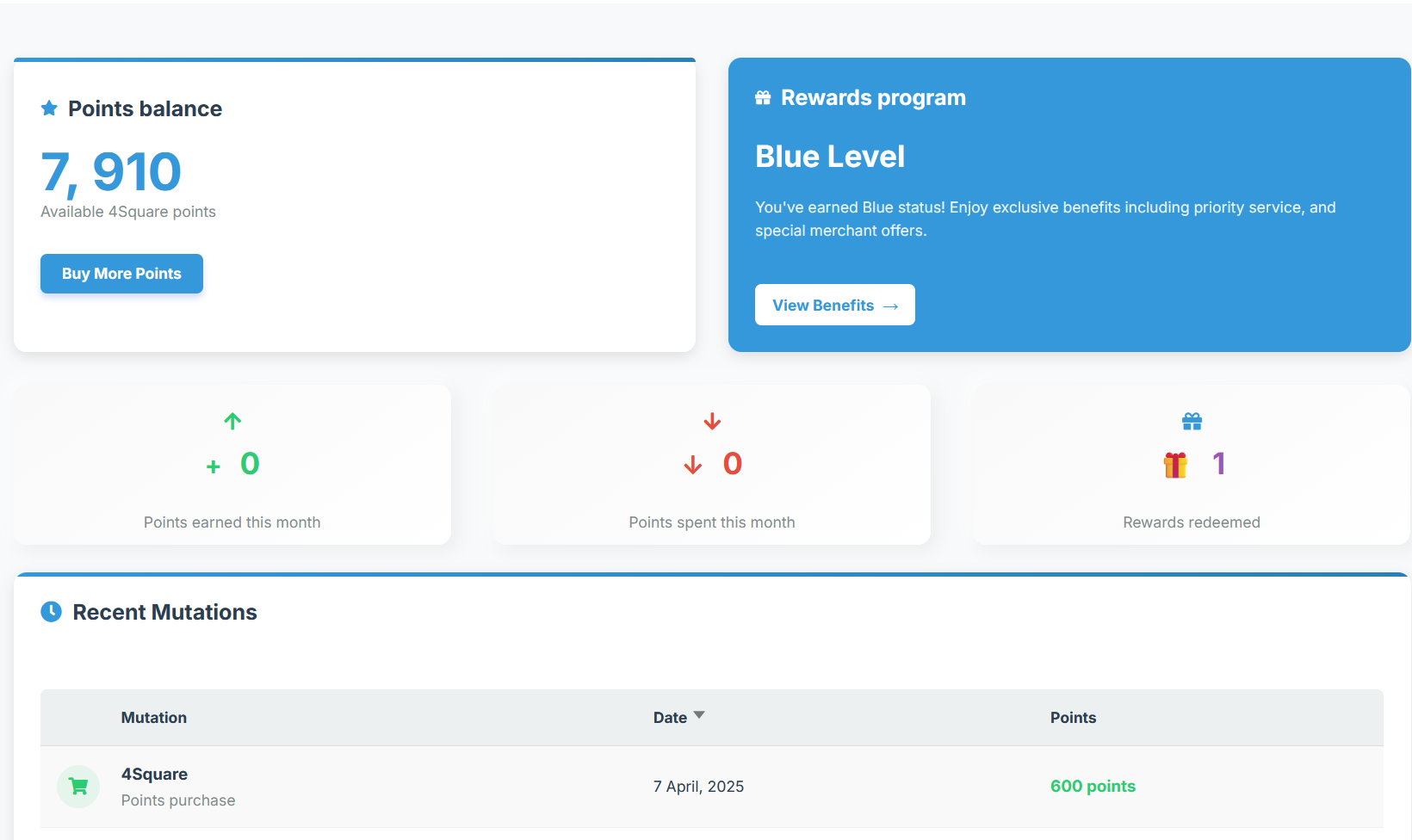
Your 4Square accountBalance and membership benefits

Check your points and membership rewards.

The dashboard brings points balance, membership benefits and recent account activity into one view.
Auto play01 / 01
Inside the project

Inside the project

One points account for a network of merchants.

A 4Square customer buys points to spend with participating merchants. In the portal, shoppers choose how much to buy, check their balance and see their rewards. Merchants receive reimbursement for the points redeemed in their stores. ViaLogos built the customer experience and the operational tools 4Square's team uses to follow purchases, refunds and payouts.

Project
4Square Systems
Scope
Points purchase and redemption + my.4square.us + operational ERP
01 / The challenge

Connect the purchase to the redemption.

Shoppers need to understand what they are buying and where they can spend it. Merchants need reimbursement when those points are redeemed. If a purchase is refunded or an update fails to reach a store, 4Square's staff need to establish what happened before answering the customer or reviewing a payout.

02 / The approach

Support shoppers and the team serving them.

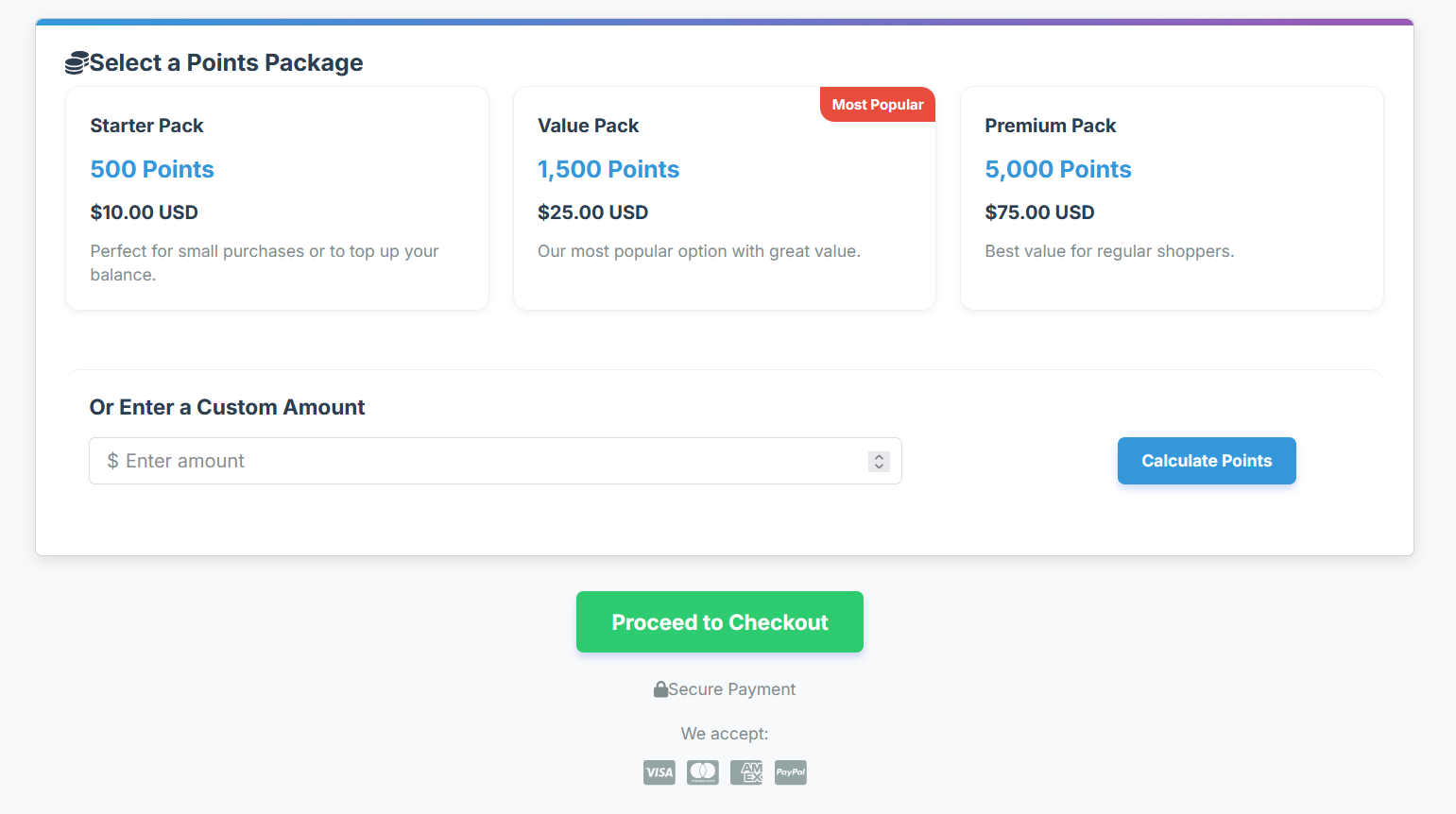
Shoppers can buy a points package or choose their own amount, then follow their balance and rewards in the portal. Staff can investigate a purchase, check its refund outcome and follow up with the merchant. For payout reviews, they can see the fees and reserves used in the calculation, including the terms that applied at the time.

Using the application

What people can do.

01

Buy points in the amount you need

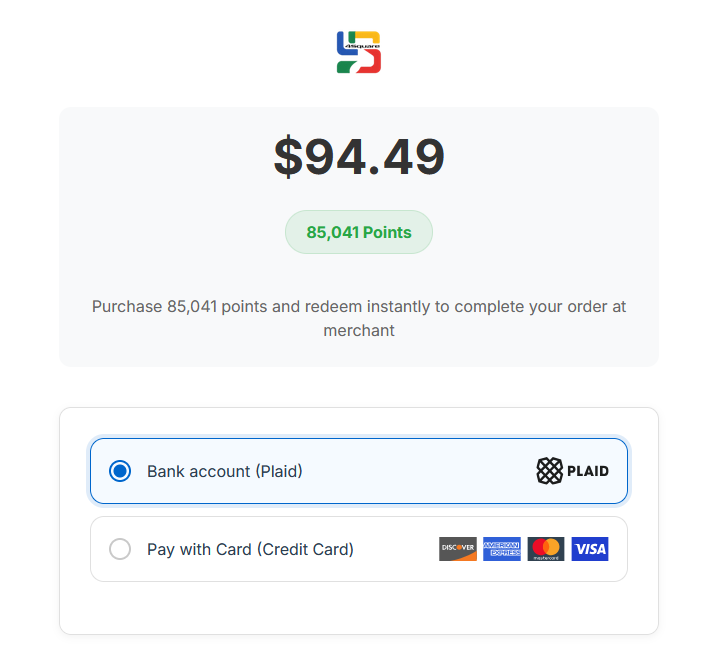
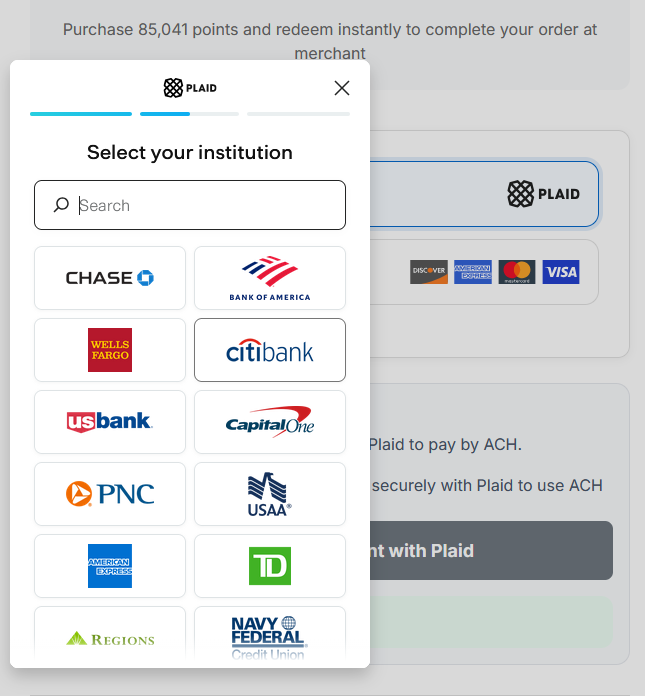
Choose a points package or enter a custom amount. The checkout shows the purchase amount and points, with card and Plaid bank account options.

02

Keep rewards in view

The account dashboard shows the points balance, membership level and recent activity. Shoppers can check rewards redeemed and open their membership benefits.

03

Use points across participating stores

Customers redeem their points within 4Square's merchant network. Member offers and loyalty rewards give them reasons to return.

04

Check what happened to a refund

Staff can see the confirmed refund outcome against the customer's transaction, including partial refunds. That gives them a result to work from when following up with the shopper or merchant.

05

Follow up on outstanding transactions

Operations staff can investigate mismatches, resend a missed merchant update and review the terms used for a payout. Unresolved items stay visible for follow-up.

Under the surface

The stack.

  • Drupal 10
  • PHP
  • Drupal Commerce
  • ECA
  • BPMN
  • JWT
  • Custom integrations

Your next project

Connect your checkout to the business behind it.

Tell us how your customers buy and what your team needs to manage afterward. We will plan the customer experience and connected operations together.

Plan your commerce platform Visit 4Square Online consultation with the Via Logos team.